




Table of Contents
A clear display is important in clinical hearing assessment, where operators need to monitor test settings and review results throughout the examination. A well-designed interface makes key information easier to identify and helps reduce unnecessary adjustments during testing. For a clinical audiometer, display quality is therefore closely related to the usability of the equipment and the efficiency of the testing process.
Founded in 2015, Qualmedi Technology Co., Ltd. is a high-tech enterprise dedicated to providing medical solutions. With a professional R&D team and a focus on medical technology, the company develops equipment designed to support practical clinical needs. Its QA700 clinical audiometer combines a high-resolution color display with multiple hearing test functions to support different stages of clinical audiometry.
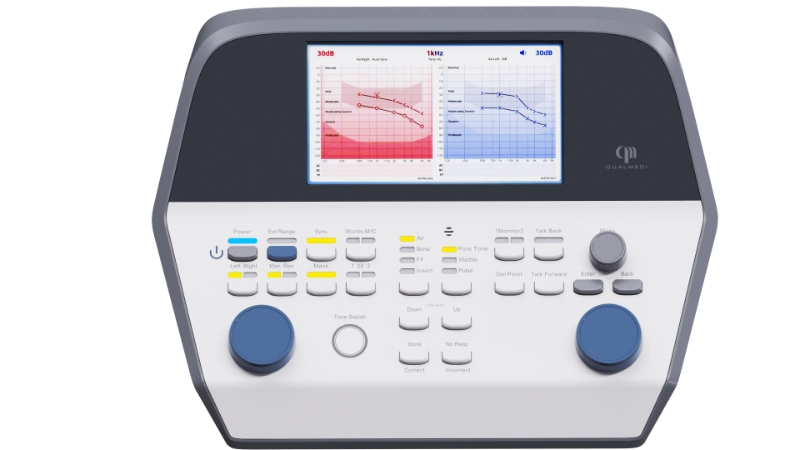
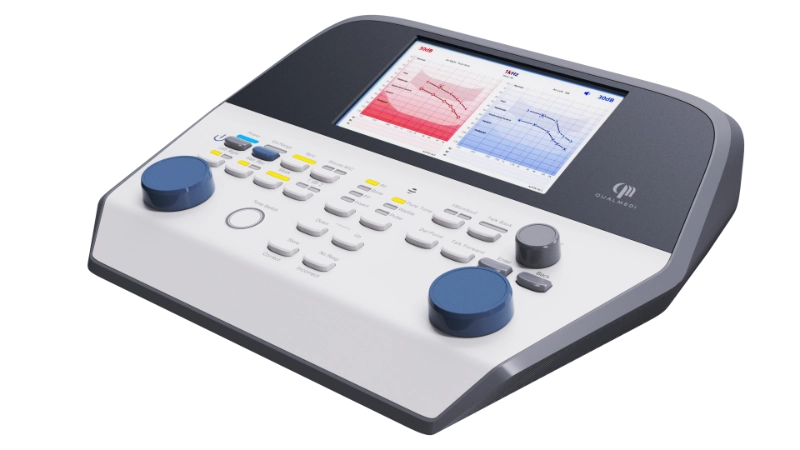
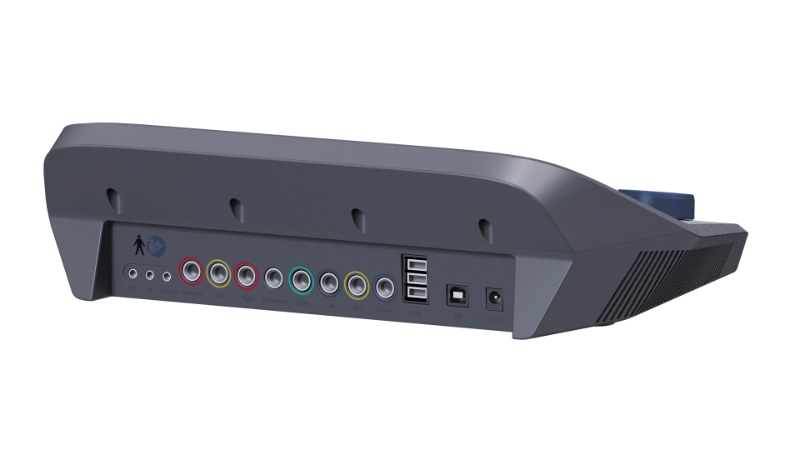
1. Clear Test Information Supports More Efficient Operation
During hearing tests, operators need to monitor several settings, including sound level, frequency, transducer, signal type, and channel. When this information is presented clearly, it becomes easier to check the current configuration and make adjustments when necessary.
The QA700 features a 7-inch high-resolution color screen that displays key operating information alongside audiograms. This layout helps operators review test settings without relying solely on physical controls or repeatedly navigating between different screens. A clear visual presentation is particularly useful when multiple test parameters need to be checked during an examination.
For a clinical audiometer display, readability is not simply an aesthetic consideration. It helps users understand the current testing conditions and follow the examination process more easily.
2. High-Resolution Audiograms Make Results Easier to Review
Audiograms are central to hearing assessment because they present hearing thresholds across different test frequencies. Their readability affects how easily clinicians can review recorded results and identify patterns that may require further assessment.
The QA700 uses a high-resolution color display to present audiograms with clear visual detail. This supports the review of hearing test results directly on the device and makes the displayed information easier to interpret during routine operation.
The instrument supports pure-tone audiometry and PTA calculation, providing functions relevant to hearing threshold assessment. Its air conduction range is -10 to 120 dB HL, while its bone conduction range is -10 to 80 dB HL. These specifications define the available hearing level ranges for the respective test methods.
By combining readable audiograms with accessible test information, the QA700 clinical audiometer helps operators review measurements and manage the testing process within one interface.
3. Accessible Settings Help Simplify Hearing Tests
Different hearing examinations may require different sound levels, signal types, and testing procedures. An interface that makes these settings easy to locate can help operators adjust the equipment more efficiently.
The QA700 allows sound level adjustments in 1, 2, or 5 dB steps. It also supports pure-tone, warble, and pulse signals, as well as masking noise. Air and bone conduction testing is available with HL, MCL, and UCL measurements.
These functions give operators access to different testing configurations according to the examination requirements. When combined with the device’s clear display of frequency, sound level, and signal information, they make it easier to check the selected settings before and during testing.
The instrument also provides user-defined settings, allowing users to configure the equipment according to their working preferences. This can reduce the need to repeat routine adjustments and help maintain a consistent operating workflow.
4. A Single Interface Supports Multiple Audiometric Tests
A clinical hearing assessment may involve more than pure-tone testing. Speech audiometry and specialized tests can provide additional information depending on the patient’s assessment needs. Switching between these functions requires operators to understand the active test mode and its relevant settings.
The QA700 supports speech audiometry with built-in word lists, external CD or MP3 presentations, and live-voice speech input through a microphone. It also provides SRT and WRS calculations. Additional test functions include Hughson-Westlake automatic testing, SISI, ABLB, Stenger, and Weber tests.
Presenting operating information on the same high-resolution color display helps users monitor the selected configuration as they work with different test functions. This is especially useful when an examination involves several procedures and requires attention to both test settings and recorded results.
The value of a digital audiometer lies not only in its digital interface but also in how its controls, test functions, and result presentation work together. A clear display can make these capabilities easier to access without replacing the operator’s clinical judgment.
5. Display Design Works Alongside Data Management
The usability of a hearing test device also depends on how results are stored, reviewed, and transferred after testing. Clear on-screen information helps operators monitor the examination, while appropriate data management functions support subsequent record handling.
The QA700 supports standalone operation, including test result monitoring, data storage, and printing. It can also connect to a PC running management software, providing additional functions such as data synchronization, data export, and modification of printing templates. The product specifications also list HL7, SQL, and FTP interfaces for hospital data systems.
These capabilities address different stages of the testing workflow. The display supports direct interaction with the device, while the standalone and PC-based options provide flexibility for handling test records. Together, they can help clinics organize hearing assessment tasks according to their operating requirements.
The availability of these functions does not remove the need to follow appropriate clinical procedures and data management practices. Instead, it gives operators different ways to review and handle test information within their existing workflow.
6. Choosing a Display That Fits Clinical Requirements
When evaluating a clinical audiometer, buyers should consider more than screen size or resolution. The display should present the information needed during testing, and the device should provide the functions required by its intended clinical applications.
Several factors deserve attention:
Readability: Test settings and audiograms should be easy to review during routine examinations.
Information layout: Important parameters, such as frequency, sound level, and transducer, should be clearly presented.
Test accessibility: The interface should make it practical to access the required audiometric functions and adjust settings.
Result handling: On-device review, data storage, printing, and computer connectivity may be important for the intended workflow.
Operating flexibility: User-defined settings and different operating modes can help accommodate different working preferences.
These considerations help buyers assess whether a device’s interface supports their actual testing procedures rather than judging its display in isolation.
Frequently Asked Questions (FAQs)
1. What display does the QA700 clinical audiometer use?
The QA700 clinical audiometer features a 7-inch high-resolution color display. It presents key test settings, including sound level, frequency, transducer, signal type, channel, and audiograms, helping operators monitor test information during examinations.
2. How does a clinical audiometer display help with hearing test results?
A clear clinical audiometer display makes test parameters and audiograms easier to review. This helps operators check the current testing configuration and examine recorded hearing thresholds more conveniently.
3. Can the QA700 display different audiometric test results?
Yes. The QA700 supports pure-tone and speech audiometry, along with several special tests. Its display presents relevant operating information and audiograms, supporting the review of results across different testing procedures.
4. Does the QA700 clinical audiometer support adjustable test settings?
Yes. The QA700 supports sound level adjustments in 1, 2, or 5 dB steps. It also offers user-defined settings, allowing operators to configure the device according to their working preferences and testing requirements.
5. Can the QA700 clinical audiometer transfer test data to a computer?
Yes. The QA700 can connect to a PC running management software, supporting functions such as data synchronization, data export, and printing template modification. It also supports standalone operation with test result monitoring, data storage, and printing.
Conclusion
Digital display design influences how efficiently operators can monitor test settings, review audiograms, and move between hearing assessment functions. A high-resolution screen is most useful when it presents relevant information clearly and works alongside accessible controls and practical data management options.
The QA700 combines a 7-inch high-resolution color display with air and bone conduction testing, speech audiometry, specialized test functions, and standalone or PC-based operation. These features provide a range of tools for clinical hearing assessment. With its focus on medical technology and professional R&D, Qualmedi offers the QA700 as a clinical audiometry solution for facilities seeking clear result presentation and flexible test management.