




Updated: October 31, 2026
Hospitals must not pick an audiometer brand just because it says “HIPAA-ready,” “GDPR-ready,” or has a CE mark. The best choice is a brand that shows real proof. They must show how patient data is made, kept, and sent. They also need to explain how data is viewed, logged, backed up, and erased over time. After that, the device must pass the hospital’s own tests.
Right now, Interacoustics gives the most clear public details for network data safety. They use OtoAccess Database and Worklist HL7. Grason-Stadler (GSI) is another good option. GSI is great if you care a lot about unique user logins and training. Amplivox shares helpful database controls for its models. You should also look at QUALMEDI QA700 and QA700 Plus. These are good if you want a machine that works alone or has flexible local exports. They also offer HL7/SQL/FTP links, low-MOQ orders, and OEM/ODM support. Their team replies fast. However, you should only buy them after you get a written security file and run a real test.
No brand is 100% “secure” right out of the box. Setup, the PC, and the EHR interface matter a lot. Local rules and daily habits are just as important as the audiometer itself.
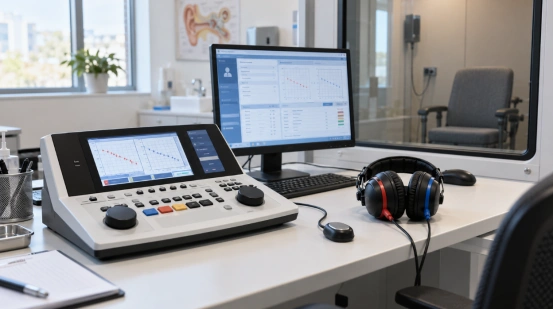
Which audiometer brands should buyers consider?
Interacoustics: strongest publicly documented data-governance controls Interacoustics is the top choice if you want clear proof for a networked database. Its OtoAccess papers explain individual logins and action logs. They also talk about strong passwords, safe SQL links, and protected backups. The papers cover users, groups, and HL7 steps. The brand also shares setup training and dealer help. Still, buyers must change default passwords. You also need to set up encryption and plan your backups. Make sure to test everything before using it. Sources: OtoAccess Database instructions and OtoAccess Worklist HL7 instructions.
Grason-Stadler: strong access-control and training evidence GSI shares useful security steps for its products and software. Pello papers talk about usernames that you can set up with passwords. GSI AMTAS explains group security rules. Their guides also say you need unique PC logins and updated virus protection. GSI has tutorials on how to use the device and handle data. But, buyers still need to figure out which rules belong to the audiometer itself. You must check rules for GSI Suite, AMTAS, GSI Cloud, the PC, and other databases. Sources: GSI Pello, GSI AMTAS, and GSI tutorials.
Amplivox: useful device-level database protection For some setups, the CA850 Series 5 manual says its inner database uses a special five-digit passcode. It also says you must back it up often. Amplivox shares manuals and video guides. They also give help for calibration and repairs. However, one passcode is not the same as having real user accounts. It does not replace role-based rules, encryption, or clear action logs. Sources: CA850 Series 5 manual and Amplivox support.
QUALMEDI: flexible integration and procurement, subject to security validation QA700 and QA700 Plus papers from August 24, 2026 show they work alone or with a PC. They cover patient records, multi-user access, passwords, and electronic signatures. They also have admin settings and local PDF/PNG/XML/JSON exports. They link via HL7, SQL, and FTP. The QA700 holds up to 6,000 audiograms. The QA700 Plus holds up to 100,000. The manuals tell users to block computer viruses. They say you must test PC software on site. Only approved workers should do software updates.
These features are good for hospitals that want local use and broad exports. They fit well if you need fast shipping, small orders, or OEM/ODM support. Using the machine offline can lower network risks. Still, local storage is not always private by itself. Knowing an interface name does not mean it is secure. The papers do not show proof of stored encryption or safe HL7/SQL/FTP transport. They miss full audit logs, clear user roles, and patch timelines. They show a default calibration password. You must change, turn off, or hide this password before seeing patients. QUALMEDI promises a 24-hour reply and video training. You should put these promises into a real signed contract.
What evidence should a buyer request from every brand?
Ask for the exact same papers from each brand. This keeps your choice fair and easy:
·Ask for a data-flow map for the exact product. It must show where data lives and moves. It should show ports, PC software, EHR, and USB drives. It must cover remote help and cloud services. The EU’s MDCG 2019-16 Rev.1 asks for these network details. It also asks for clear cloud rules.
·Get a security rule paper. It needs to explain encryption and how keys are kept safe. It should talk about named users, password rules, and user roles. It must cover session timeouts, failed logins, electronic signatures, audit logs, and safe file deletion.
·Ask for a list of all software parts. Check which operating systems work and get the current software versions. Find out who to call about risks and how they fix bugs. You need the date when security support ends. The FDA’s February 2026 cybersecurity guidance says safety is an ongoing job. It is not just a one-time thing you buy.
·Request guides on how to back up, restore, keep, and export data. Ask how to throw the machine away safely. Find out how the hospital can make sure all data is wiped from the device, PC, and backups.
·Ask for exact details on the HL7 version and messages. Get facts on the SQL link and FTP protocols. Check the logins, encryption, certificates, and ports. Look at error handling and transaction logs.
·Ask for training and service proof. This includes lessons for admins and doctors. Ask about setup tests and review training. Check their repair times, contact lists, and local fix options.
·Check all privacy contracts. This might mean a business associate agreement or data-processing agreement. Ask where the data lives and who pays for a data breach. For US setups with cloud services, the HHS explains the need for strong contracts and safety rules.
·Things like ISO 13485, EMC reports, and CE papers are good to have. A certificate of free sale is nice too. But, none of these prove that the device is safe from hackers or protects patient privacy.
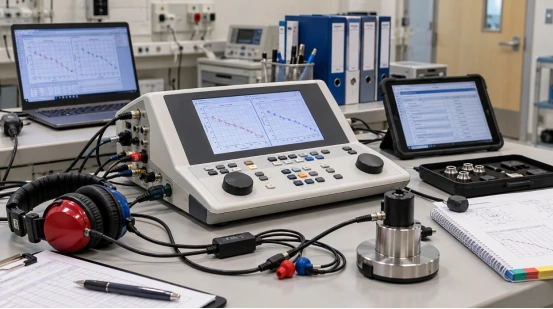
How should a hospital verify security during a trial or acceptance test?
Set up a fake test patient. Ask the ear doctors, IT team, and privacy staff to watch the whole test.
Write down the device, PC software, and database facts. Check the versions, licenses, and default accounts. Look at open ports, USB slots, and remote tools. Change or delete every default password.
Set up fake users like a doctor, an admin, and a blocked user. Test the passwords, lockouts, and timeouts. See if one person can view, change, or delete another person’s files.
Make, change, sign, and delete a test file. Check if the system tracks the user, time, action, and patient. Make sure normal users cannot change these history logs.
Check the network traffic for HL7, SQL, and FTP. Look at backup and remote help links. Make sure encryption and certificates work. Do not use plain FTP for patient data unless it is locked safely behind a strong wall.
Try to pick the wrong patient or use copycat IDs. Stop a transfer halfway or pull the internet cord. Test bad USB exports and power cuts. The EHR and audiometer must fail safely. They should never lose a record or mix up patient facts without warning.
Do a full backup and put the data back. Count the records and check the signatures. See how long it takes to fix. Test how data is kept and erased to match hospital rules.
Do a test run for software updates. Get a signed update and see if you can undo it. Call the support team and see how fast they reply. Ask how the brand tells you about new security bugs.
The final test must end with signed proof. Write down any risks that are not fixed. Make a firm yes or no choice. Do not buy it just because it sends an audiogram once.
What limitations and operating conditions should brands disclose?
A good brand must tell you where data stays. They should say if it lives on the device, PC, EHR, or a USB drive. They must share if remote workers can see patient facts. Ask who holds the encryption keys and what safety jobs belong to the hospital.
The brand must list old operating systems that do not work anymore. They should explain the needed firewall and virus settings. Ask about network needs, default accounts, and log limits. Find out the max storage and who handles backups. You need to know how often updates happen and when support stops. Daily limits matter too. Ask about user training, calibration, and safe PC links. They must tell you what happens if you use the wrong software or hardware.
Your final choice depends on your real needs. Pick Interacoustics if you want deep public rules and strong HL7 database guides. Look at GSI if user training and access management are key for you. Think about Amplivox if its simple device controls fit your setup. Choose QUALMEDI if you like buying flexibility and standalone options. They are good for custom exports and fast links. But, only buy the QA700 or QA700 Plus after the brand proves its safety steps and passes your final tests.